ESX: vSphere – Virtual Center Server Service Stops
Problem
Ako vCenter baza dostigne 4GB, VMware Virtual Center Server servis će biti stopiran. Restart servisa će rezultovati ponovnim stopiranjem u narednih minut od pokretanja.
U logovima se može videti ovaj event log:
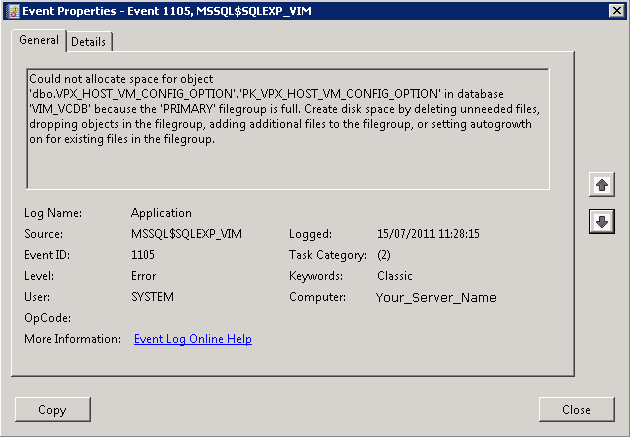
Description:
Could not allocate space for object ‘dbo.VPX_HOST_VM_CONFIG_OPTION’.’PK_VPX_HOST_VM_CONFIG_OPTION’ in database ‘VIM_VCDB’ because the ‘PRIMARY’ filegroup is full. Create disk space by deleting unneeded files, dropping objects in the filegroup, adding additional files to the filegroup, or setting autogrowth on for existing files in the filegroup
Rešenje
1. Preuzeti i instalirati Microsft SQL Server Management Studio Express.
2. Povezati se na Servername\SQLEXP_VIM i logovati se sa Windows Authentication.

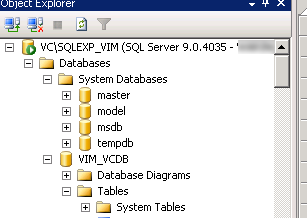
3. Otvoriti databases > Otvoriti VIM_VCDB > Otvoriti Tables > Otvoriti tabelu dbo.VPX_PARAMETER:
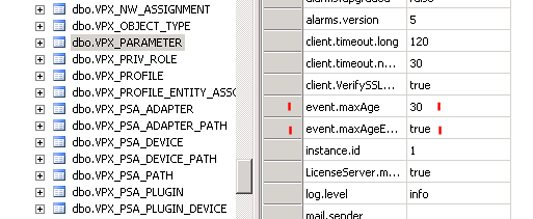
4. Izmeniti event.maxAge da bude 30 > Izmeniti event.maxAgeEnabled na vrednost true.
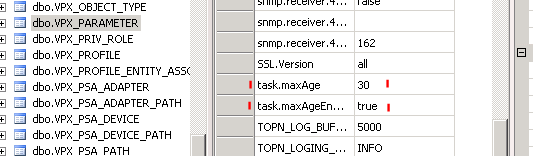
5. Izmeniti task.maxAge da bude 30 > Izmeniti task.maxAgeEnabled na vrednost true.
5. Zatim pokrenuti ugrađenu proceduru: iz the VCDB > Programmability > Stored Procedures.
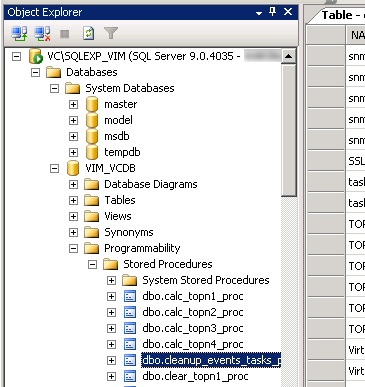
6. Desni click na dbo.cleanup_events_tasks_proc i click “Execute Stored Procedure”.
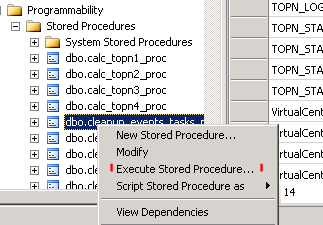
7. Ovo će ošistiti podatke iz tabela: vpx_event, vpx_event_arg and vpx_task bazirano na datumu postavljenom za maxAge.
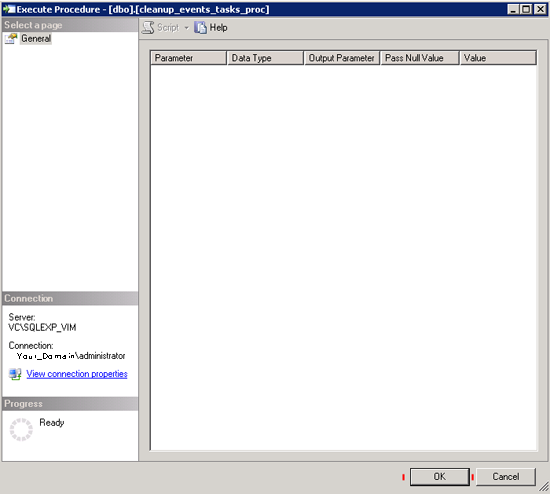
8. Kada se ovo uspešno završi, zatvoriti SQL Management Studio down > Zatim pokrenuti VMware Virtual Centre Server servis.
